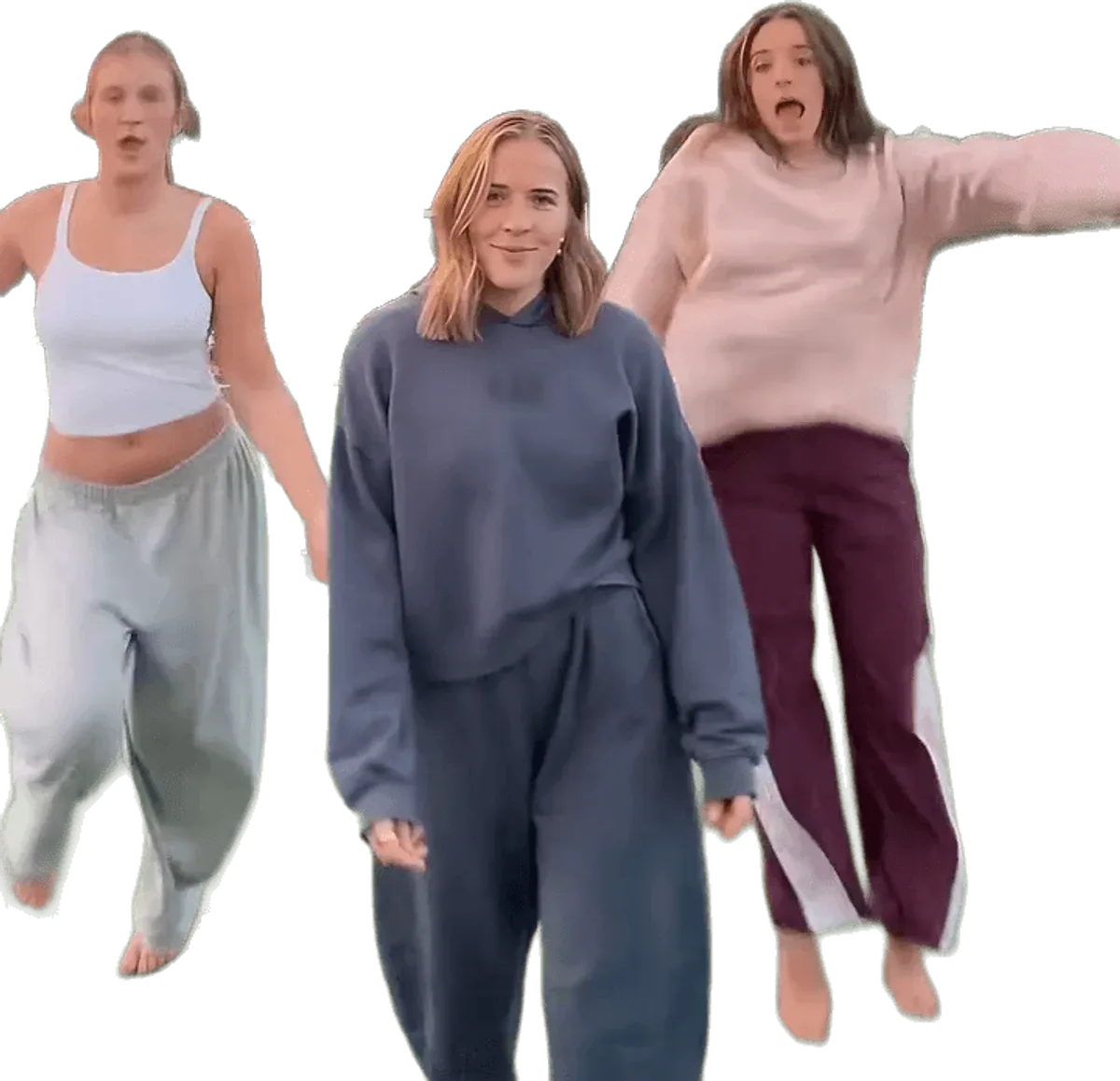
Post your Chipmunks dance video as a vertical 9:16 MP4 straight from the download, switch on the platform's AI-generated label, tag the friends who appear only if they agreed, and add a short caption with tags such as #chipmunksdance, #youspinmeround and #3persondance. Chipmunks Dance Trend delivers the file with the trend sound already mixed in and no watermark, but the sound is a commercial song edit, so a platform may mute or limit it, and nobody can promise views.
Key takeaways
- Download the 9:16 MP4 within 24 hours. The file is yours to post on TikTok, Instagram Reels and YouTube Shorts.
- The trend sound is already in the file, so you do not need to add a track unless a platform mutes it.
- Use the AI-generated label wherever the platform offers one, because the video shows realistic people who did not film it.
- Tag a friend only if they are in the video and have agreed to it. With one photo, two of the dancers are AI stand-ins and should not be tagged.
- Hashtags and a caption help people find a post but do not promise reach.
- The trend started to climb on 2026-10-24 and was still high on 2026-11-07, but trends fade, so post soon after you make the video.
If you have not made your video yet, open the generator. If a face looks off, the fails and fixes guide covers what to change.
What format does the finished video come in?
The finished video is an MP4 file with no watermark, and you can choose 9:16, 1:1 or 16:9 when you make it. Choose 9:16 for TikTok, Instagram Reels and YouTube Shorts, because all three are built around full-screen vertical video and the dance reads best when the trio fills the frame.
Length follows the dance you picked. Each of the six dances follows its own viral clip: Sunset Court is 12 seconds, White Studio 11, Bright Hallway 12, Living Room Glow 14, Night Street 15 and Sunny Park 15. That keeps every version inside the short-clip limits of all three platforms, so you will not have to trim.
The sound is already mixed in. The video model renders silently, and Chipmunks Dance Trend adds the trend sound afterwards, a sped-up edit of You Spin Me Round (Like a Record). Play the file once before you post to check that the sound is there and the dance lines up.
The download link on the site works for 24 hours; a copy also stays in My creations on your videosi account for 30 days. Download it to your phone or computer as soon as it is ready. If you want the 1:1 or 16:9 version for a feed post or a website, make that choice before you render, because the aspect ratio is set when the video is made.
Chipmunks Dance Trend is independent and unofficial. It is not affiliated with TikTok, Instagram, YouTube, Dead or Alive or Alvin and the Chipmunks.
What this section proved: the file is ready to post as it is. What it left open: how each platform takes it.
How do you post it on TikTok?
Post it as a normal upload from your camera roll. Open the app, tap the plus button, choose Upload, select the MP4 and continue to the edit screen. The video already has its sound, so you can go straight on to the caption and settings.
The trend started on TikTok, so the clip fits best there: short and fast, with the group swaying, snapping, spinning and swapping inside about 15 seconds.
On the post screen, write a short caption, add your hashtags, set who can see the video and check the AI-generated content option before posting. Menu names change from version to version of the app, so look for the setting in the more options or content disclosure area.
The trend has no official TikTok filter, and the video you make here is not made inside the app. If you upload a file that contains recognised music, TikTok may handle the audio in its own way. The sound section below covers what to do if that happens.
What this section proved: TikTok is a plain upload. What it left open: the other two platforms.
How do you post it on Instagram Reels and YouTube Shorts?
Instagram Reels and YouTube Shorts both take a vertical file under their time limits, so the same MP4 works on all three. Upload it separately on each platform instead of reposting a downloaded copy of your own TikTok, because a clip saved from another app can carry that app's watermark and lower quality.
On Instagram, create a new Reel, pick the file from your library, add a caption and hashtags, and check the AI label setting before sharing. On YouTube, tap the plus button, choose to add a Short, select the file, add a title and a description, and look for the setting about altered or synthetic content.
Each platform handles music in its own way. A track that plays on TikTok may be muted or limited on Instagram or YouTube. That is a rule of the platform and of the song's rights holders, not a fault in the video. If the sound is muted, you can add a track from that platform's own music library to the same clip.
You can post the same video on all three. Keep the caption short and fit it to each platform.
What this section proved: the same file works across platforms. What it left open: how to label it.
Should you use the AI-generated label?
Yes, use the AI-generated label wherever the platform offers one. The video shows realistic people dancing in a real-looking place, and they did not film it. A label tells viewers what they are watching and protects you if a platform asks.
TikTok, Instagram and YouTube each have a way to mark content that is made or altered with AI, and each has rules about when it is required, especially for realistic people and scenes. The rules and the menu names change over time, so check the current wording in the app before you post. Where a label is available, switch it on.
There is a second reason: many people post real versions of this dance, and a label keeps yours clearly apart from them.
Keep these limits in mind as well:
- Only post videos of adults who have agreed to appear. That includes you.
- Do not use photos of celebrities, public figures or anyone who has not agreed.
- Do not present the clip as real footage in a context where that could mislead.
What this section proved: the label is the honest default. What it left open: who you can tag.
How do you tag friends who are in the video?
Tag a friend only if they are in the video and have said yes. The trend is made for groups, and tagging is the easiest way to get a friend to see themselves in it, but a tag puts their name on a post about them. Ask first.
How the tagging works depends on the number of photos you used:
- Three photos: all three dancers are real, so you can tag the two friends whose photos you used, with their consent.
- Two photos: you and one friend are real. The third dancer is an AI stand-in, so there is nobody to tag.
- One photo: you are in the middle, and the two side dancers are AI stand-ins. Do not tag anyone as the side dancers, because those people do not exist.
Say it in the caption too. A line such as "made with AI, starring me and my friends" makes it plain what the video is. If a friend would rather not appear, take the post down or make a new one without their photo. Photos must be of adults only, and Chipmunks Dance Trend does not accept celebrity photos.
If the face of a friend drifts on the spin, the video may not look like them. Likeness is never guaranteed, so check the clip with them before tagging.
What this section proved: tags need real people and real consent. What it left open: what to write.
What should the caption and hashtags say?
Keep the caption short, and say what the video is. Something that names the dance, the friends in it and the fact that it is AI-generated is enough. You do not need a story, and you should not make up one about how or where it was filmed.
For hashtags, three are the natural core of the trend: #chipmunksdance, #youspinmeround and #3persondance. Add one or two that describe your version, such as the scene (a hallway, a park or a street at night) or your group. Avoid stuffing the caption with dozens of tags. A handful that describe the post is better than a wall of them, and platforms differ in how much weight they give hashtags.
Useful things to put in the caption: the dance you chose, such as "Sunset Court version", the friends in it if they agreed to be tagged, and a plain line that the video was AI-generated.
Do not claim the video is the official dance, and do not use the names of the song's artists or of the cartoon in a way that suggests a connection. Chipmunks Dance Trend has none. Do not quote the song's lyrics in your caption either, since they belong to the rights holders.
There is no promise of views. A caption and hashtags help people find the post; they do not make it travel.
What this section proved: short, honest captions with a few core tags. What it left open: timing.
When is the best time to post?
The best time is soon after you make it, while the trend is still active. Searches for the Chipmunks dance began to climb on 2026-10-24, peaked between 2026-10-30 and 2026-11-01, and were still at about 60 percent of that peak on 2026-11-07. Trends of this kind rise and fall quickly, so a video posted a few weeks from now meets less interest than one posted this week.
The most viewed originals were posted around 2026-10-27. The biggest, from @bopieandjo, had about 10.9 million plays on 2026-11-07. That is a record of how that one clip did, not a prediction for yours. A new post from a small account usually reaches far fewer people, and Chipmunks Dance Trend does not promise views, followers or reach.
For the time of day, post when your own friends are most likely to be online, because early reactions from people who know you are the only ones you can plan for. A second version in a different dance, such as Bright Hallway after Sunset Court, gives friends another reason to watch.
Before you plan a series, note that a standard video is 10 credits and the Single pack is $6.99 for 10 credits, with no free tier. The pricing page has the details, and the dances page shows each version.
What this section proved: post while the trend is live and expect nothing in particular. What it left open: the sound.
Will the trend sound play when you post?
Usually it plays, but it may not. The sound in the file is a sped-up edit of You Spin Me Round (Like a Record), a 1984 Dead or Alive single, and it is a commercial recording. Platforms scan uploads for recognised music, and they can mute it, limit where the video is shown, remove it, or leave it alone, depending on the platform, your country and your account.
Chipmunks Dance Trend does not control that, and does not claim any rights to the song. The site is independent of Dead or Alive and of the labels and publishers. Treat the sound as something a platform lets through, not a given.
If a platform mutes the audio:
- Wait until the post has finished processing, then watch it again, because the check can take a few minutes.
- If it is muted, edit the post and add a track from the platform's own sound library.
- For TikTok, the trend's own sounds are posted by users, so you may be able to pick the same trending sound from inside the app and use it on your clip.
- Accept that a limited reach may be the result of the audio, not the video.
What this section proved: the sound may be limited, and there is a fallback. What it left open: nothing; the questions below cover the rest.
Frequently asked questions
What size should my Chipmunks dance video be for TikTok?
Use the 9:16 vertical format for TikTok, Reels and Shorts. Chipmunks Dance Trend lets you choose 9:16, 1:1 or 16:9 when you make the video, and the file has no watermark. Choose the ratio before you render, because it is set at that point and cannot be changed afterwards.
Should I label my Chipmunks dance video as AI-generated?
Yes, use the platform's AI-generated label wherever one is offered. The video shows realistic people who did not film it, and a label says so plainly. Chipmunks Dance Trend recommends it on TikTok, Instagram and YouTube, and the exact setting name can change, so check the current wording in the app.
Can I tag my friends in the video?
Yes, but only friends who are in the video and have agreed to be tagged. With three photos, all three dancers are real people. With one or two photos, the empty spots are AI stand-ins, who should never be tagged. Chipmunks Dance Trend accepts photos of adults only.
Why was the sound muted after I posted?
The trend sound is an edit of a commercial song, so a platform may mute or limit it. Chipmunks Dance Trend mixes it in but cannot control what TikTok, Instagram or YouTube do with it. Wait for processing, then add a track from the platform's own library if needed.
What hashtags should I use?
The natural core is #chipmunksdance, #youspinmeround and #3persondance, plus one or two that describe your version. Chipmunks Dance Trend suggests keeping the caption short and saying that the video is AI-generated. Hashtags help people find a post but do not guarantee views.